mart.codes
Tech Stack
JavaScript
Node
NextJs
Tailwind
GitHub
Netlify
React
The idea
To create a single site to showcase my work and projects as a developer. This would allow me to show my process and explain things in greater detail than a readme on GitHub. It was also an excuse to learn NextJs (a modern framework) and Tailwind (a new approach for CSS). The driver behind choosing NextJs is it server side rendering approach to React apps. This allows the initial HTML to be generated on the server instead of the browser, which can be used to improve both performance and SEO. Tailwind was chosen as it's short hand syntax being written in place instead of having to link out to separate CSS files to my mind was a more logical approach I wanted to explore.
The intial plan
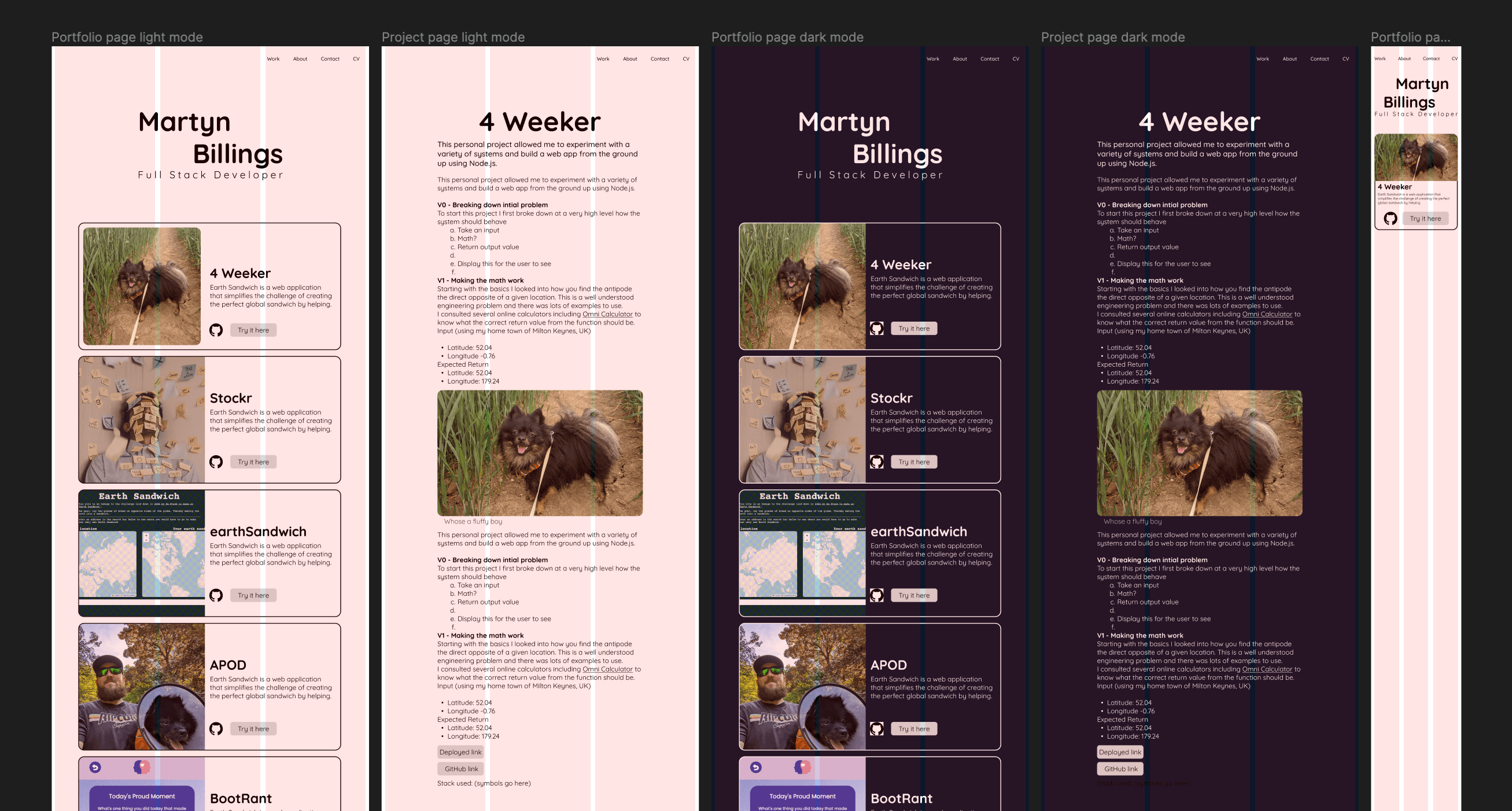
I started by creating designs in Figma to work out how I wanted it to look and how the content would be conveyed to the viewer. I made both mobile and desktop designs as I had not created a truly responsive site before. These would serve as a guide and are much more rapid to mess around than code when trying out new visual styles.
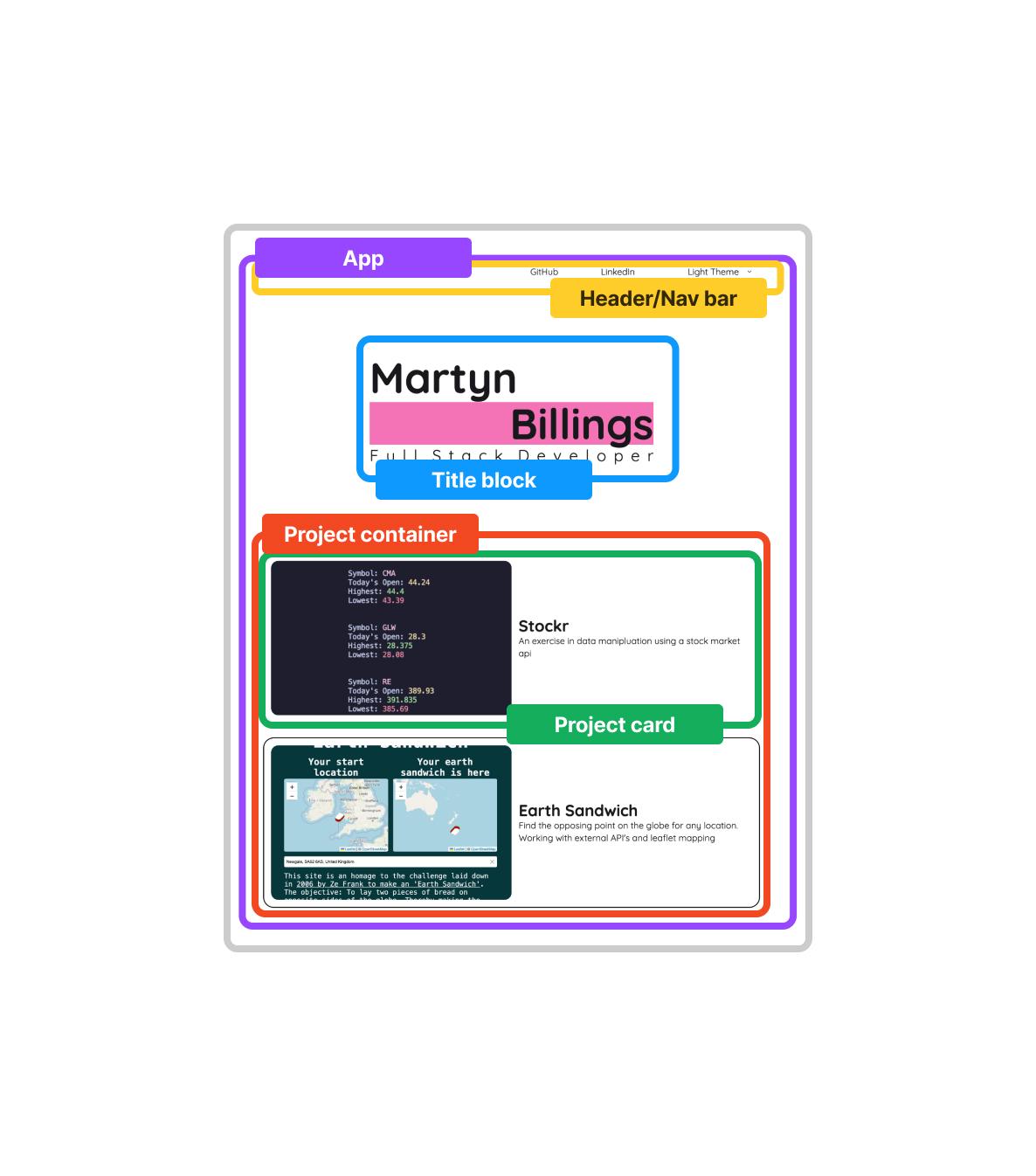
With this locked in I started to mark out how I expected the react components would be broken down. I needed to understand what would be best for repeatability and ease of maintenance vs aspects that would be better suited as standard html tags.
The dev process
Plan in hand I began creating the basic structure creating each react component in turn to ensure they worked as intended before progressing onto CSS.
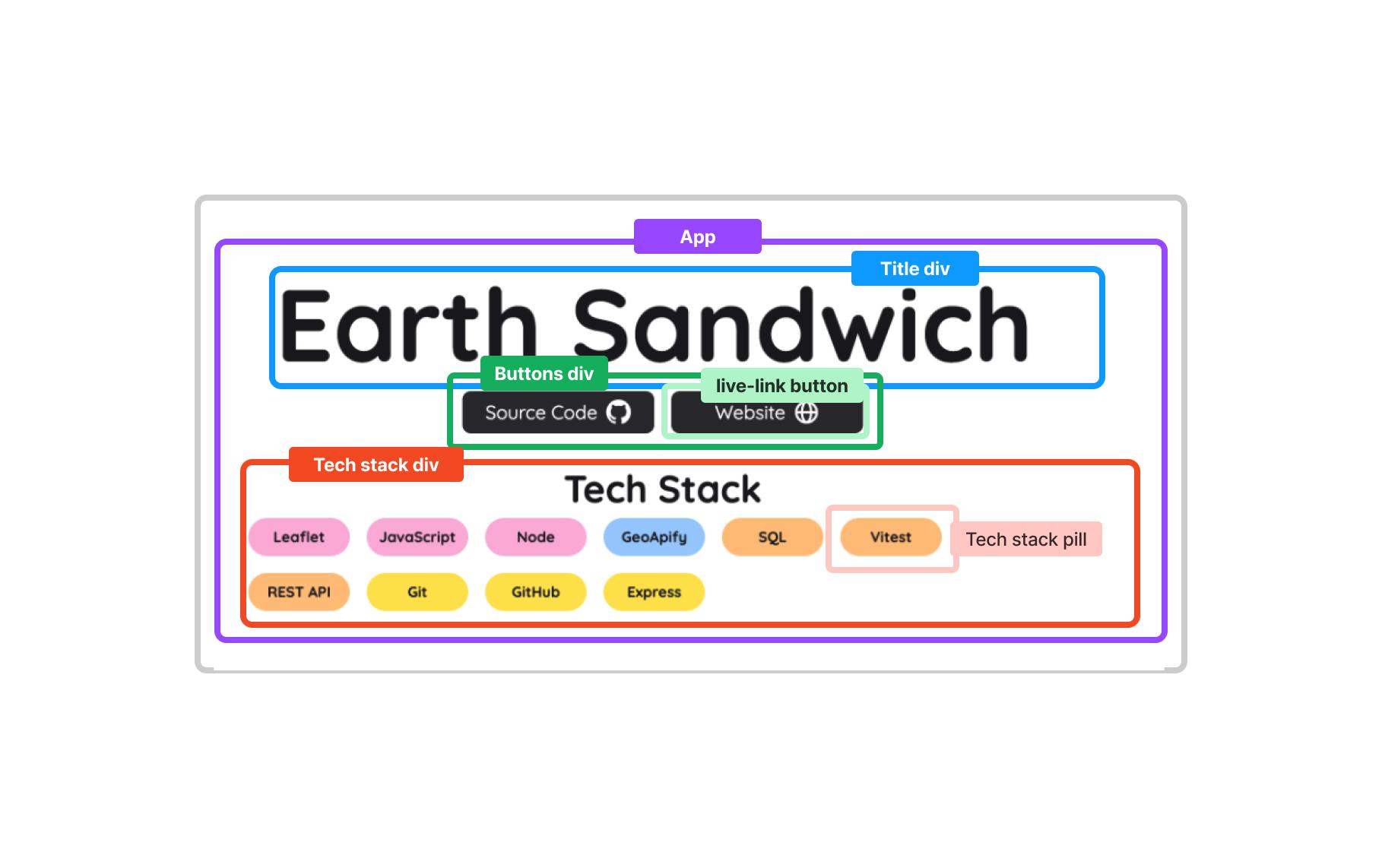
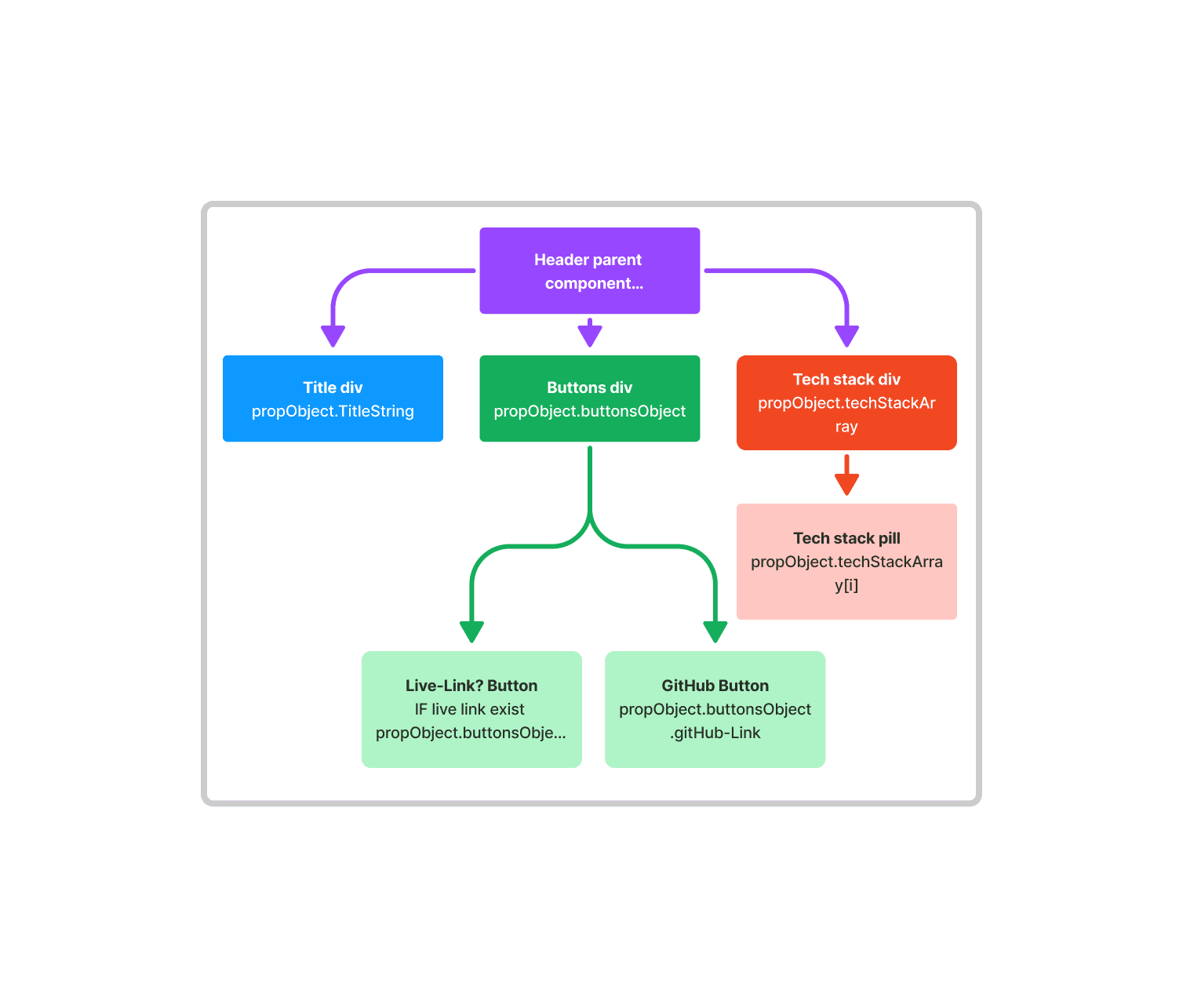
To ensure constituency in the contents appearance and make it easy to parse, I created a react component the heading section of each project. This allows me to create a simple object for each that then conditionally renders the heading with appropriate link buttons and a series of chips to convey the tech stack used.
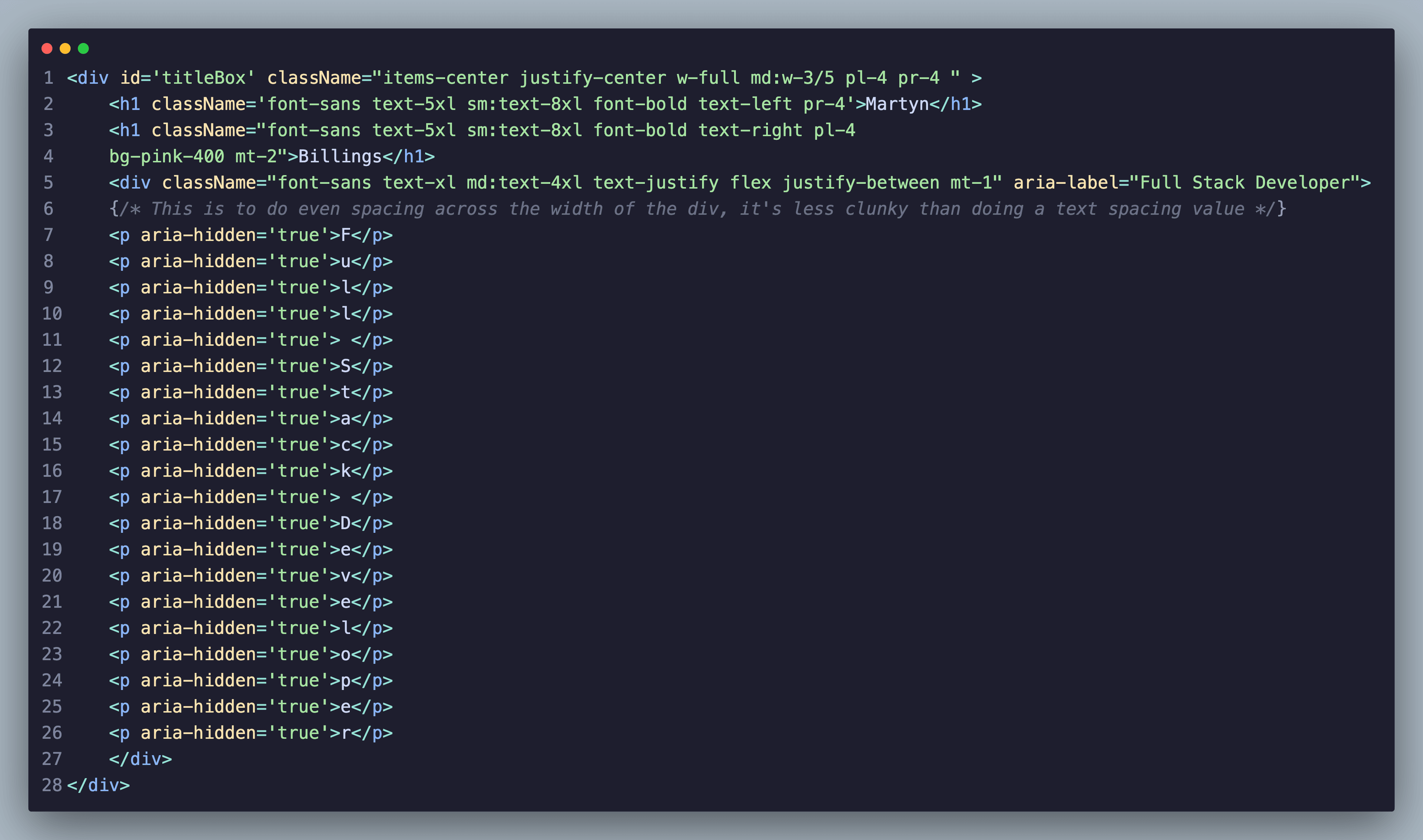
During the CSS stage on the homepage I realised that I couldn't get the spacing between the `Full stack developer` line to be consistent between each character when the screen size changed. The solution I settled on was to put each letter inside it's own tag and then use CSS to ensure the spacing was exactly proportional. This gave far more control than letter-spacing would allow. However this would make it horrible for screen readers to interact with. To solve this I used ARIA labelling to give the parent div a readable label, whilst marking each letter as false so that it is ignored. This prevents a nasty experience for screen readers of it reading each letter individually instead of the whole word.
As a lover of accessibility and dark mode I endeavoured to bring this functionality to my site. Their are few things more jarring in my experience than a user accustomed to everything being really bright or dark and landing on a webpage that is the opposite. I found a guide on stack overflow to help me create a system that defaults to the users system preference and then allows them to choose to override it should they so wish.

With everything set up I then deployed the project using Netlify as I have used Render and Vercel before but wanted to try something new. It was extremely simple following their documentation and doing it via the CLI.
Project reflections
- Building this project was a really enjoyable way to understand some of the features of NextJs, but I'm well aware I've barely touched the surface a deeper dive in the future will be needed.
- Tailwind was remarkably simple to get my head around, I actually really enjoyed using it. I want to take this forward into future projects.
- Netlify's deployed is even easier than Vercel's (which is crazy when Vercel make NextJs). I'll bare this in mind for future deployments of projects and systems.
- I'm still getting to grips with React, the way components are made makes a lot of sense now and I am comfortable with them and doing things like conditionally rendering sections. However how state behaves still takes me a while to think it through, I need to get more practice in.